Footer is a very important part of the page and it can be used to put important information about the website or the page. So in this post, I will explain you how to add fixed footer to your page using jQuery. To add fixed footer, there is a jQuery plugin called "jQuery Constant Footer" which adds fixed footer to the page.
The jQuery Constant Footer is a plugin that glues a footer to the bottom of the browser window. It also has an option to display articles from an RSS feed located on the same website (or loaded via a proxy on the same website).

Below is the code to use this plugin without any options,
So the jQuery code with all options,
The jQuery Constant Footer is a plugin that glues a footer to the bottom of the browser window. It also has an option to display articles from an RSS feed located on the same website (or loaded via a proxy on the same website).
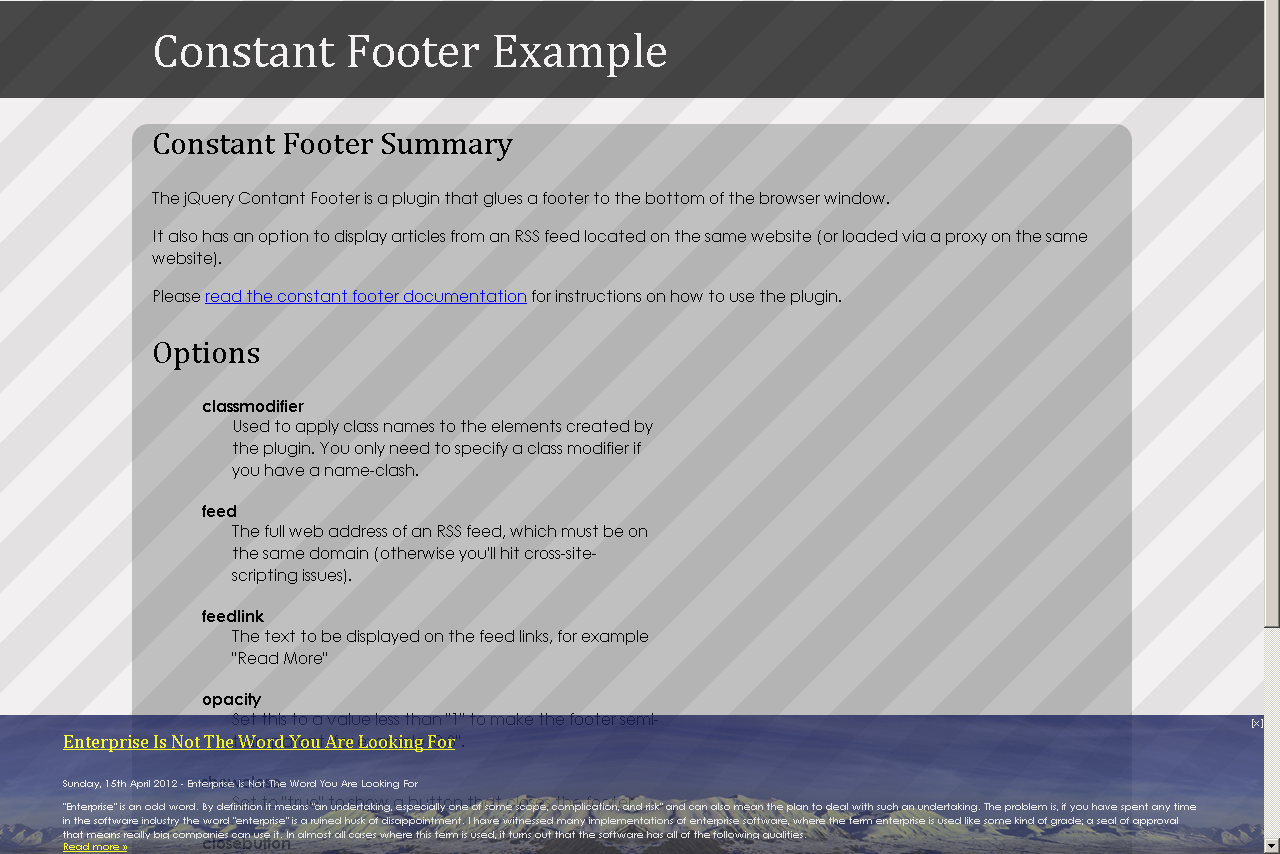
Below is the code to use this plugin without any options,
//Code Starts $("#footer").constantfooter(); //Code Ends Options
- classmodifier : Used to apply class names to the elements created by the plugin. You only need to specify a class modifier if you have a name-clash.
- feed : The full web address of an RSS feed, which must be on the same domain (otherwise you'll hit cross-site-scripting issues).
- feedlink : The text to be displayed on the feed links, for example "Read More"
- opacity : Set this to a value less than "1" to make the footer semi-transparent, for example "0.8".
- showclose : Set to "true" to show a button that closes the footer.
- closebutton : Any HTML string to show on the close button, for example "close", "[x]" or '<img alt="Close" src="close.png" />'.
So the jQuery code with all options,
//Code Starts $("#footer").constantfooter({ "classmodifier": "constantfooter", "feedlink": "Read more »", "opacity": "0.8", "closebutton": "[x]", "feed": "http://feeds.feedburner.com/JqueryByExample", "showclose": "true" }); //Code Ends Feel free to contact me for any help related to jQuery, I will gladly help you.
No comments:
Post a Comment